Showing posts with label two page layout. Show all posts

Tuesday, June 18, 2013

Colour Q Challenge #194

This week we have a great combo over at the Colour Q.  I really like this combo, and I found this challenge worked really well with my children's baseball photos.  Below is an example of the two page layout.


Here's a few closeups of each page.  Here's my son!
 
 
And my daughter... 


I used the Feelin' Peppy Digital kit from Just Jaimee at Pixels and Co.
 
 
And the Storyteller Alphas from DBK over at Scrap Orchard.
 

Tuesday, May 21, 2013

Colour Q challenge #190

 
I have to say that I love this combo this week.. 
Hop on over to Colour Q to check out the design team. 
Although I always love to challenge myself with the combos that Arielle comes up with, it's always nice to complete a layout quickly.

 
First I made the collage above by using Insta-frame and Instagram.

 
And below you can see the whole layout all together.


Tuesday, April 23, 2013

Colour Q Challenge #186


It's time for another challenge over at the Colour Q. 
I really, really love this combo that Arielle has cooked up.
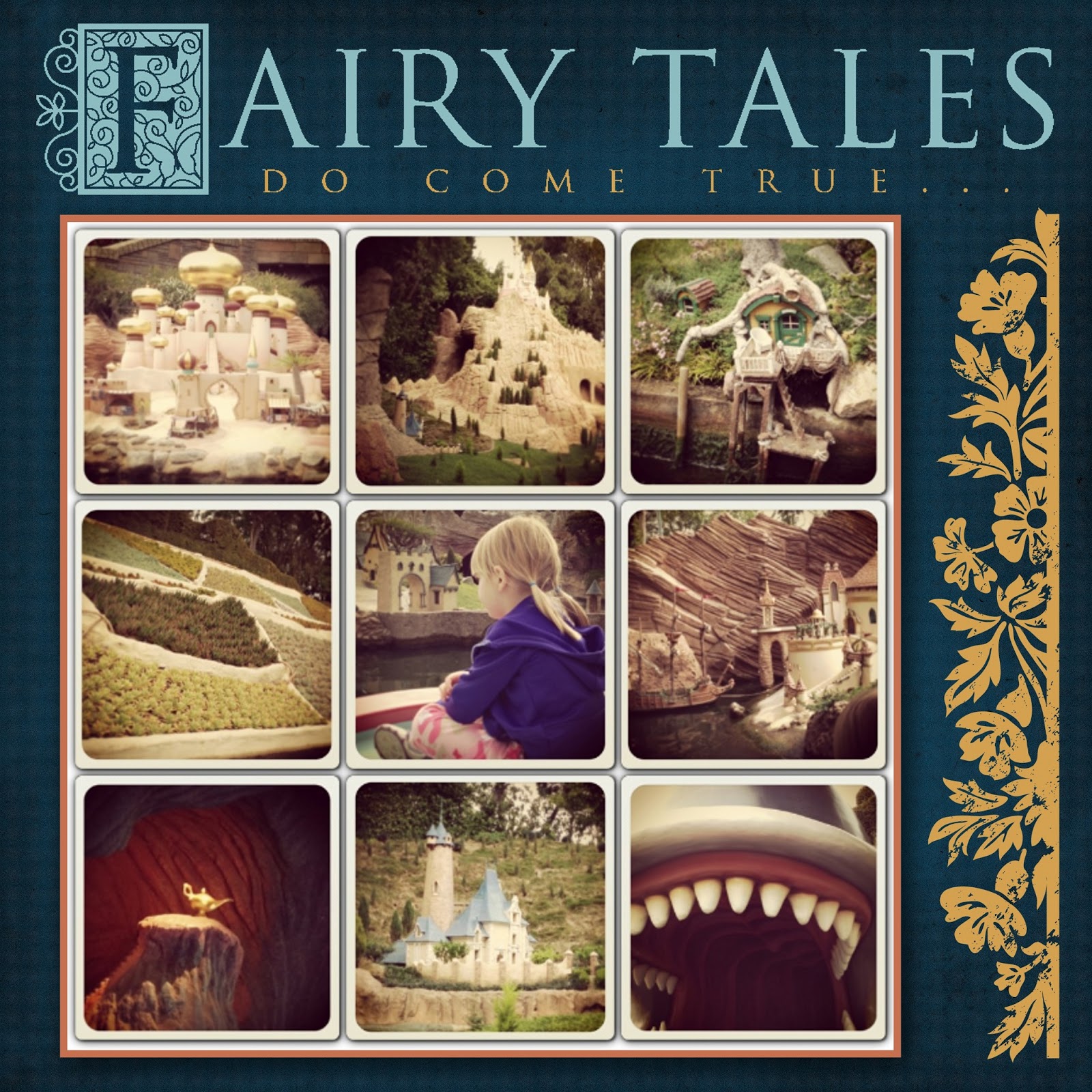
I decided to pull out some of my Disney photos and tried
to evoke a Project Life feel.
I really love these photos of my daughter on the
It's a Small World ride.  She's got a real look of wonderment
on her face.  She still says this is her favourite ride at
Disneyland.

 
Above is a look at the two pages together.
Below is a closeup of of the two pages.
I used the Feeling Peppy kit from Just Jaimee
over at Pixels and Co.
I altered some of the colours to fit the challenge.


Sunday, November 4, 2012

Chills and Thrills and MDS2

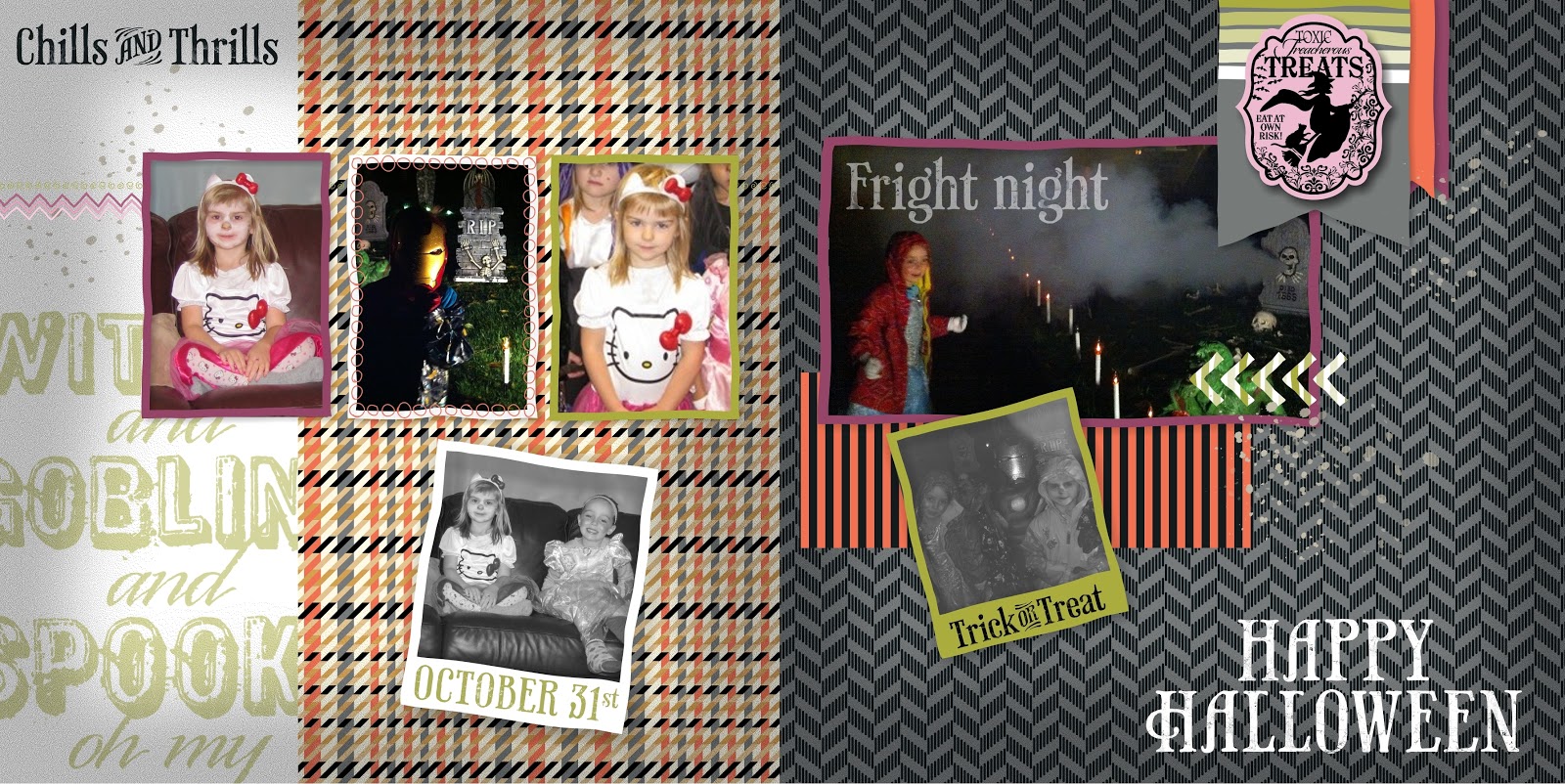
Well, as usual, I didn't get very many good photos on Halloween night.
My camera died, and my phone only takes limited photos. 
But I used what I had and tried to make an interesting layout.
 
 
Teagan was Hello Kitty,and Connor was Iron Man.
I didn't get any photos of him with his mask off unfortunately.
 
I used the free template from "A Split Second" and then
changed up the colours and added a few halloween stamps.

 
We went out with some family friends. 
It was pouring at 5pm, so we waited a bit later until the rain let up a bit.
 
 
SUPPLY LIST
 
Embellishments
    _Designer Kits/A Split Second - embellishments/A Split Second - chevron (re-colored)

Stamps
    Halloween\Toxic Treats\Toxic Treats - witches, Color = LUCKY LIMEADE 170,172,62
    Splatters/A Split Second/A Split Second - splatter 1
    _Designer Kits/A Split Second/A Split Second - frame 5, Color = LUCKY LIMEADE 170,172,62
    Vintage\Vintage Overlays\Vintage Overlays - texture 1, Color = 0,0,0
    _Designer Kits/A Split Second/A Split Second - border, Color = LUCKY LIMEADE 170,172,62
    _Designer Kits/A Split Second/A Split Second - frame 3, Color = RICH RAZZLEBERRY 149,69,103
    _Designer Kits/A Split Second/A Split Second - frame 4, Color = WHISPER WHITE 255,255,255
    _Designer Kits/A Split Second/A Split Second - frame 6, Color = CALYPSO CORAL 245,116,97
    _Designer Kits/A Split Second/A Split Second - frame 3, Color = LUCKY LIMEADE 170,172,62
    _Designer Kits\A Split Second\A Split Second - frame 2, Color = WHISPER WHITE 255,255,255
    _Designer Kits\Toxic Framable\Toxic Framable - october 31st, Color = PEAR PIZZAZ 171,173,89
    _Designer Kits\Toxic Framable\Toxic Framable - chills & thrills, Color = BASIC BLACK 19,27,29

Punches
    Basics\1.25 Square Punch,  Filled with: Designer Series Paper\_Designer Kits\Howlstooth & Scaringbone - designer series paper\Howlstooth & Scaringbone - 3

Photos
    C:\Users\Sandra\Desktop\halloween photos\halloween photos 2012-002
    C:\Users\Sandra\Desktop\halloween photos\4
    C:\Users\Sandra\Desktop\halloween photos\IMG_5014a
    C:\Users\Sandra\Desktop\halloween photos\halloween photos 2012-002

Tuesday, October 23, 2012

Colour Q 160 and MDS Contest

It's Tuesday, and that means another challenge over at the Colour Q.
Hop on over and checkout the awesome work of the Design Team.
 
 
This week's it's a Halloween-ish colour combo. 
But I decided to scrap my kids school photos.
 
 
I used the celebrate template from MDS2 and then recoloured some parts, swapped out the papers and added a few embellishments.  Because of the colours and the re-colouring, I decided to add this to the NEON scrap challenge over at Mydigitalstudio.net.
 
 
Here's the double spread.
 

Oh yeah, here's the

SUPPLY LIST

Background
     Card Stock\Whisper White

Embellishments
     (re-colored)
     (re-colored)
    Round Buttons\Rich Razzleberry - button
    Buttons Pack In Color\Peach Parfait - button 2
    Fancy Frames\Fancy Frames - melon mambo (re-colored)
    Taffeta Ribbon\Whisper White
     (re-colored)
    Buttons Pack In Color\Peach Parfait - button 2
    Taffeta Ribbon\Whisper White - bow

Stamps
    _Designer Kits\Back to School\Back to School - grunge piece, Color = RICH RAZZLEBERRY 149,69,103
    , Color = WHISPER WHITE 255,255,255
    _Designer Kits\Back to School\Back to School - grunge overlay, Color = TANGERINE TANGO 243,114,82
    _Designer Kits\Back to School\Back to School - grunge overlay, Color = 0,0,0
    _Designer Kits\Back to School\Back to School - grunge overlay, Color = 0,0,0
    , Color = WHISPER WHITE 255,255,255
    , Color = WHISPER WHITE 255,255,255
    , Color = RICH RAZZLEBERRY 149,69,103
    , Color = TANGERINE TANGO 243,114,82
    , Color = TANGERINE TANGO 243,114,82
    , Color = RICH RAZZLEBERRY 149,69,103
    , Color = WHISPER WHITE 255,255,255
    , Color = PEAR PIZZAZ 171,173,89
    , Color = TANGERINE TANGO 243,114,82
    , Color = PEAR PIZZAZ 171,173,89
    , Color = WHISPER WHITE 255,255,255
    Calendars\Month by Month\Month by Month - september outline, Color = WHISPER WHITE 255,255,255
    , Color = WHISPER WHITE 255,255,255
    , Color = PEAR PIZZAZ 171,173,89

Punches
    Basics\1.25 Square Punch, Fill Color = TANGERINE TANGO 243,114,82
    Basics\1.25 Square Punch,  Filled with: Designer Series Paper\_Designer Kits\Summer Smooches - designer series paper\Summer Smooches - 1


Tuesday, August 28, 2012

Colour Q #152

It's Tuesday, and that means another challenge over at Colour Q
 
 
At first, I thought these colours would be easy to scrap.
I really like this combo, but Bermuda Bay kept throwing me for a loop.
I finally came up with the double layout below.  This was my third page for this challenge.
 
 
Last week I went to my very first Major League Baseball game.  We drove down to Seattle. 
We saw the Mariners blow out the Twins 5 -1.  The grass was really close to Gumball Green so I decided to create my own background.  I faded the opacity a bit, so the green is not as vibrant, but I really like how the background tuned out.
 
 
Plus it was family day, so the kids got lots of free stuff, including ridiculously large T-shirts.  They even have a play area for kids 6 and under, right in the ball park.


Background
     Color = CRUMB CAKE 179,161,131

Punches
    Basics\1.25 Square Punch, Fill Color = 225,225,224
    Basics\1.25 Square Punch, Fill Color = GUMBALL GREEN 105,132,51

Photos
    C:\Users\Sandra\Desktop\mariners game\IMG_1260
    C:\Users\Sandra\Desktop\mariners game\My Project 4-001
    C:\Users\Sandra\Desktop\mariners game\IMG_1266
    C:\Users\Sandra\Desktop\mariners game\IMG_1261
    C:\Users\Sandra\Desktop\mariners game\IMG_1240    
  C:\Users\Sandra\Desktop\mariners game\IMG_1260
C:\Users\Sandra\Desktop\mariners game\IMG_1263
C:\Users\Sandra\Desktop\mariners game\IMG_1241
C:\Users\Sandra\Desktop\mariners game\IMG_1262
C:\Users\Sandra\Desktop\mariners game\IMG_1239
C:\Users\Sandra\Desktop\mariners game\IMG_1250


Embellishments
    _Designer Kits\Keep This Memory - embellishments\Keep This Memory - title ticket
    _Designer Kits/Keep This Memory - borders/Keep This Memory - ticket ribbon

Stamps
    Vintage\Vintage Overlays\Vintage Overlays - texture 6, Color = CRUMB CAKE 179,161,131
    Vintage\Vintage Overlays\Vintage Overlays - texture 1, Color = 0,0,0
    _Designer Kits/Keep This Memory - stamps/Keep This Memory - pattern, Color = WHISPER WHITE 255,255,255

Punches
    Basics\1.25 Square Punch, Fill Color = 237,233,211
    Basics\1.25 Square Punch, Fill Color = GUMBALL GREEN 105,132,51
    Basics\1.25 Square Punch, Fill Color = 237,233,211


Tuesday, August 14, 2012

Colour Q Challenge #150


This week we have a bright and bold colour challenge for you over at Colour Q


For me, the largest challenge was combining Bermuda Bay and Lucky Limeade.
But I really like how it all worked out.

I decided to scrap our day in Pompeii, Italy.


This photo of my son is my most favourite photo from our trip to Europe. 
I love the lines of the photo, and the colours, and especially the smile on his face.
I tried to 'age' the paper to match the aged look of the murals on the walls.
Because Pompeii was completely covered with the ash from the volcanic explosion of Mt Vesuvius, most of the city remained intact under the ash for almost 2000 years.


This mural of the woman in the clamshell actually had the Bermuda Bay and Daffodil Delight in it.  I thought it worked perfectly in this layout.

Monday, July 30, 2012

Just A Little Fairytale...

So after many, many, many, many hours spent tranferring MDS to my newer computer I finally sat down to play.  Transferring all those files took hours, and hours.  I got my new laptop around Christmastime and i was dreading the transfer of MDS so I put it off, and put it off, and then I heard about MDS 2.  So I decided to wait until I heard more about it.  Well, MDS 2 arrives on Wednesday, so I finally bit the bullet, and transferred it all over this past weekend.  Now I'm totally ready for the MDS2 upgrade when it arrives on Wednesday.


I have all these A-dorable photos of Teagan from her dance recital in June.  I finally sat down and tried out the Walk In The Park II kit that I haven't used yet.

She looked soo cute in her little tutu.  And with her hair in a bun, I think she felt like a princess.


During the concert she looked so serious.  I think she was searching for us in the crowd.  It's her first time on stage in the spotlights.  We prepared her for the fact that she probably wouldn't be able to see us in the audience, but she tried to find us anyway.


Here's a look at the two page layout.  When I get MDS 2 in a few days, I'll be able to do this right in the program itself.  I CAN'T WAIT!!!!!!!

Wednesday, June 2, 2010

Stampin Royalty Challenge #22

I must apologize for getting this post together late today. I had it all ready in draft form but forgot to publish it last night. Anyway, welcome to Stampin Royalty's Challenge #22. This week the challenge is to "jazz up an old project". As I seem to be drowning in cards these days, I decided to use some old scrapbook pages that I had put together using a Simply Scrappin' Kit. This is is retired, but the images and paper are fully available on My Digital Studio. When I put these pages together I was trying to showcase what you can do with a Simply Scrappin' Kit. When I pulled them out a year later, I had some great ideas on how to add even more to the layout.

The 'before' layout

the 'jazzed-up' layout


Below is a close up of the second page, as this was actually a two page layout.

and below this is a photo of the two pages together.

I love how the turquoise really compliments my daughters shirt. There's a children's song by Charlotte Diamond that kept going through my head as I was putting this together. It's called 'Why did I have to have a sister?' I found a nice little spot to include that quote on this layout. I added the photos first and still found the whole thing to be a bit plain. So I peeled off a few images and popped them up on dimensionals - but I still found it a bit plain. So I added a few stickers that were left over from the kit and I put some journaling on them. Then I sat back and decided that it needed a better title. So I used one of the 'love notes' from the last Occasions mini to mount up the letters for 'Explore' which is a fitting title for a day at the playground.